
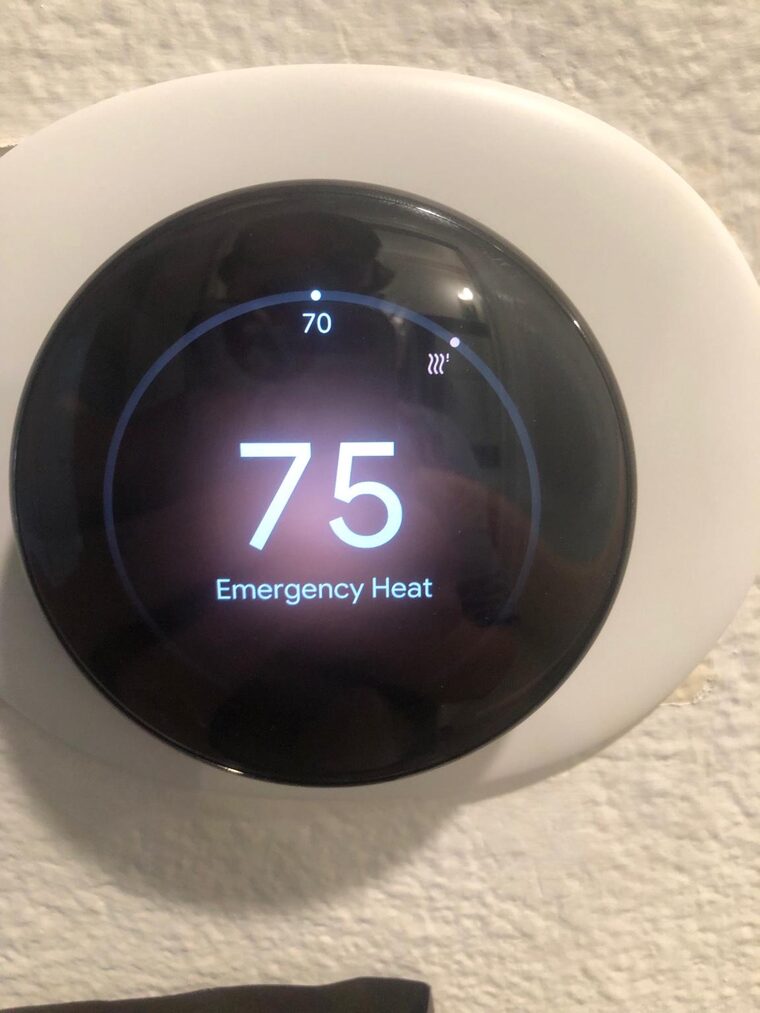
If your home runs on a heat pump, your Nest thermostat has a setting called Emergency Heat. Most homeowners never touch it, and that is usually the right instinct. But on the morning your heat pump stops blowing warm air, it is the switch that keeps the house comfortable until we can get out to you. Here is what it actually does, how to turn it on, and the part most guides leave out: when you should not.
What Emergency Heat really means
A heat pump is your main source of heat. In winter it runs the refrigeration cycle backward, pulling warmth out of the outdoor air and moving it inside. Modern units do this efficiently well below freezing, so in the Bay Area the heat pump carries the load on all but the rare cold snap.
Every heat-pump system also has a second, backup heat source for the moments the heat pump cannot keep up or is out of service. There are two common setups:
- Dual fuel. A gas furnace is the backup. This is the setup in my own house, and it is common on Bay Area retrofits where a heat pump was added to an existing furnace.
- All electric. Electric resistance strips inside the air handler are the backup.
Emergency Heat tells the system to stop using the heat pump and run only on that backup. That is the key distinction. It is not the heat pump working harder. It is the heat pump sitting out while the furnace or the strips do all the work.
Emergency Heat vs. Auxiliary Heat
People mix these up, so it is worth being precise. Auxiliary heat is automatic. When you bump the setpoint up several degrees, or on an unusually cold morning, the thermostat fires the backup alongside the heat pump for a while, then shuts it off once the house catches up. The heat pump keeps running the whole time.
Emergency Heat is manual and exclusive. You turn it on yourself, and it locks out the heat pump entirely. You reach for it when the heat pump is broken, not when it is simply busy.
How to turn it on with a Nest
The screens can read slightly differently depending on your Nest model and wiring, but the path is the same.
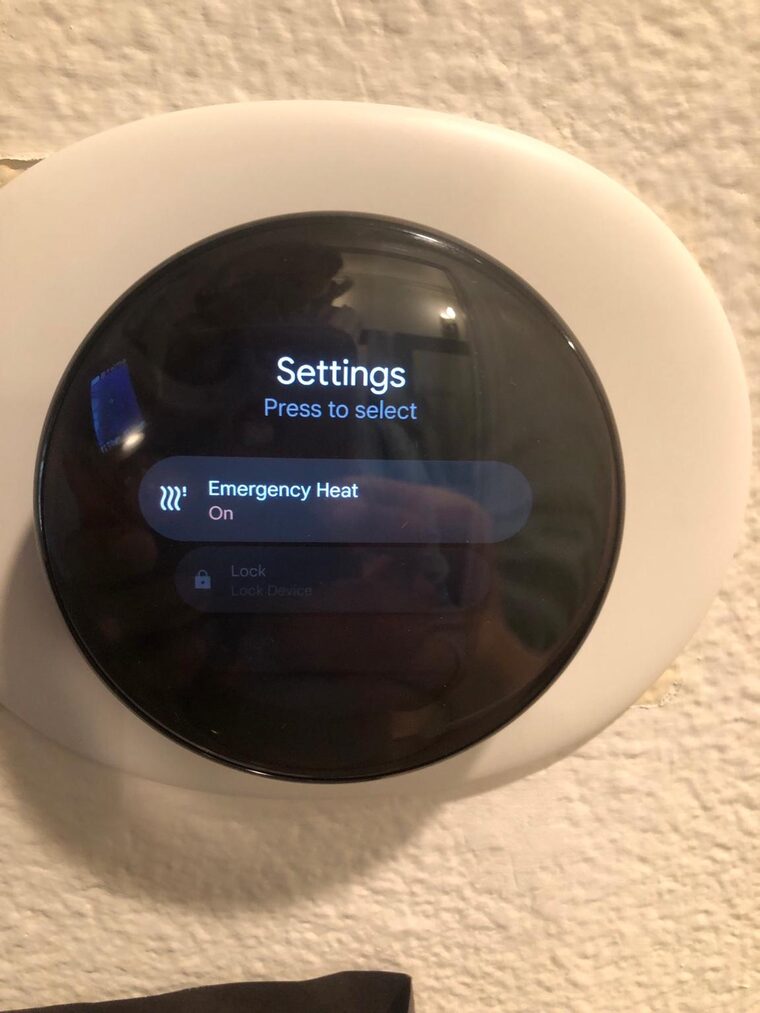
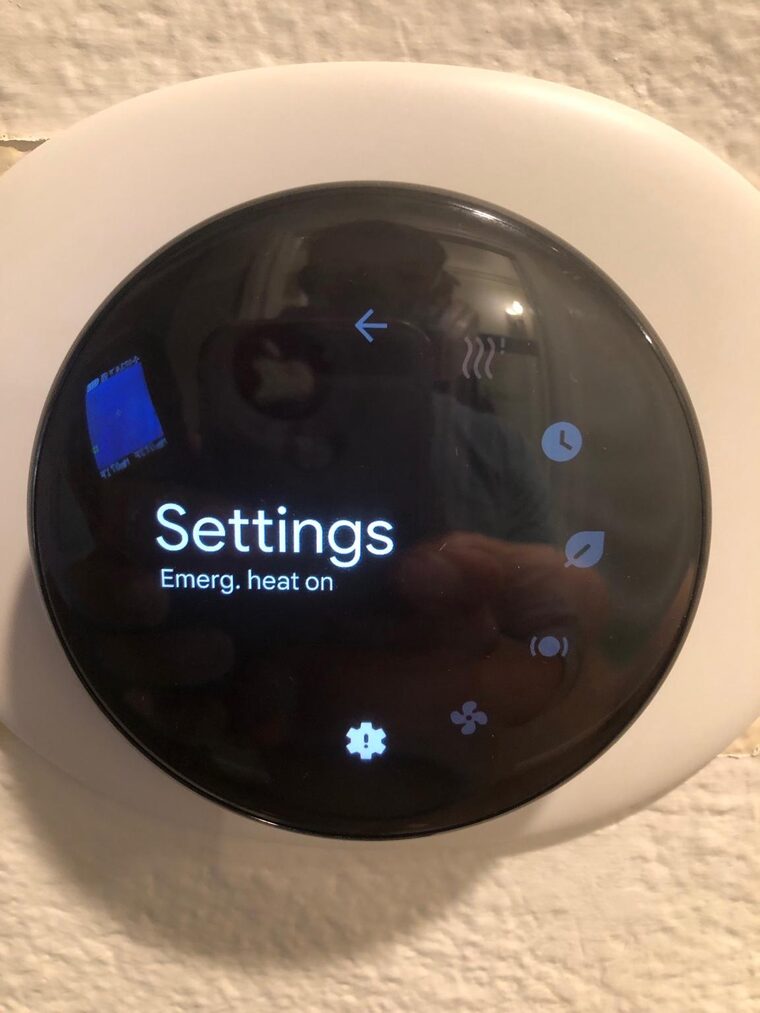
- Wake the thermostat and press the ring to open the menu. Turn to Settings.
- Press to open Settings and scroll to Emergency Heat.
- Select Emergency Heat and toggle it On.
- Confirm when prompted. Nest reminds you this mode uses more energy.
- Set your target temperature. The dial now reads Emergency Heat, so you always know the backup is the one carrying the load.
- To go back to normal, repeat the steps and switch Emergency Heat off.
If you scroll through Settings and there is no Emergency Heat option, your Nest is almost certainly not configured as a heat pump with backup. That usually means a standard furnace-and-AC system, where the switch does not apply.
When you should actually use it
In our climate, you are rarely turning this on because it got too cold for the heat pump. The honest reason a Bay Area homeowner flips to Emergency Heat is that the heat pump quit. The outdoor unit is iced over, the fan is not spinning, you hear the compressor struggle, or the system runs and the air coming out is not warm. Emergency Heat lets the furnace keep the house comfortable while you wait for service. That is exactly what it is for.
When you should not
Do not run Emergency Heat as your normal winter setting. The backup costs more to run than the heat pump, every day it is on. If you find yourself reaching for it again and again, that is not a habit to settle into, it is a signal.
A heat pump that keeps leaving you cold has a real fault under it. The common ones we find: a low refrigerant charge, a reversing valve stuck in cooling, a defrost board that lets the outdoor coil ice over, or a dead fan motor on the outdoor unit. None of those fix themselves. Each one requires a licensed tech with the right equipment, and refrigerant work is EPA-regulated, meaning it is not a DIY job regardless of what you find online. Diagnosing the wrong root cause and ordering parts wastes time and money you could have spent on the actual repair.
Use Emergency Heat to stay comfortable while you wait. Then call us. We will diagnose the fault, quote the repair, and get the heat pump back on the efficient side of your bill. Bay Area HVAC Service covers the Tri-Valley and surrounding area seven days a week. Our diagnostic fee is $99 and goes toward the repair if you proceed.
Call (925) 999-4095. We’re here 7 AM to 7 PM and will get you on the schedule fast, often same or next day when we can. No overtime charges.
Key takeaways
- Emergency Heat tells a heat-pump system to skip the heat pump and run only on the backup source: a gas furnace on a dual-fuel system, or electric strips on an all-electric one.
- It is meant for when the heat pump itself has failed or its outdoor unit is down, not for a normal cold night.
- Backup heat costs more to run than the heat pump, which is why Nest warns you about higher energy use and why you should switch it back once the heat pump is fixed.
- The Emergency Heat option only shows up on a Nest that is wired and configured for a heat pump with backup heat. If you do not see it, your system is probably not set up that way.
- If you keep ending up on Emergency Heat, or the heat pump runs but the house stays cold, that points to a fault worth a service call: low charge, a stuck reversing valve, a failed defrost board, or a dead outdoor fan.
Related questions
What is the difference between Emergency Heat and Auxiliary Heat?
Will Emergency Heat cost me more?
I don't see Emergency Heat on my Nest. Why?
My heat pump runs but the house won't warm up. Should I just leave Emergency Heat on?
Need help with your system? Call (925) 999-4095 or book a visit. Repair diagnostics are $99, credited toward the repair. Installation assessments are free.
Further reading
Need HVAC help in the Bay Area?
We serve 56 cities. Same or next day when we can.
Bay Area · 7am–7pm · 7 days · no overtime charges